OpenAI's Codex now drives your Mac, not just your code
OpenAI shipped a Codex update that can pilot desktop apps with a cursor, generate images in-line, and run parallel agents. It's the opening move in a real Claude Code fight.
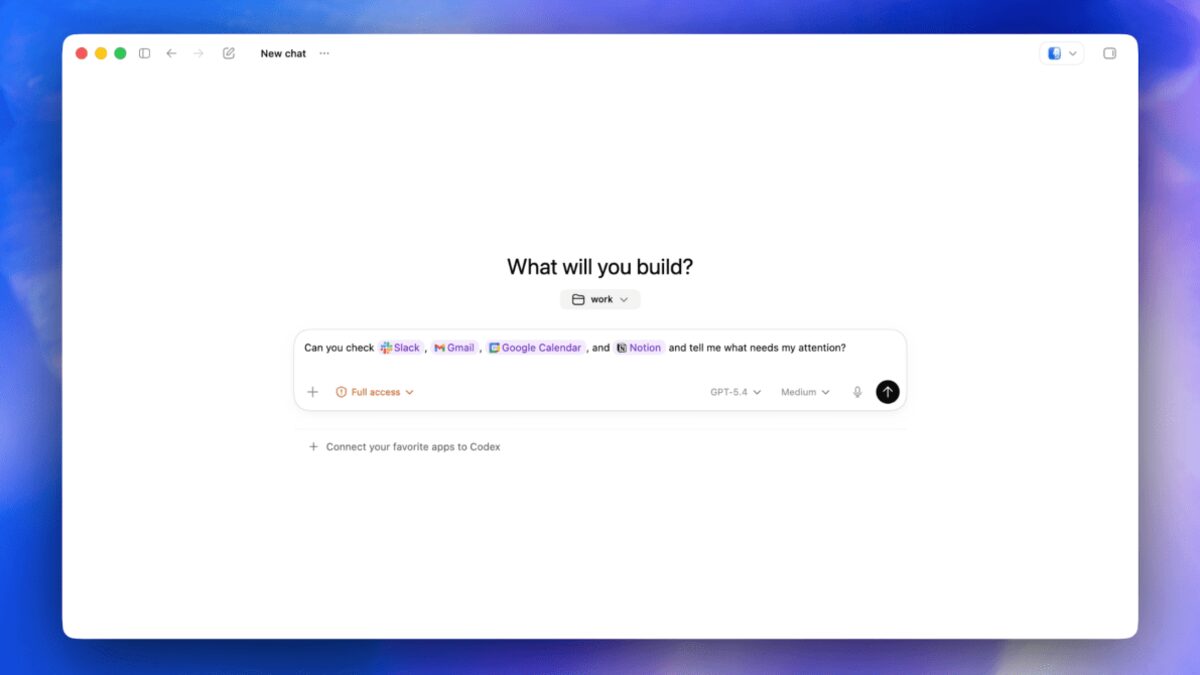
OpenAI shipped “Codex for almost everything” on April 16, the same morning Anthropic launched Claude Opus 4.7. The Codex Mac app is no longer just a coding agent. It can now click, type, browse, and generate images, while spawning parallel agents in the background.
What shipped
The core of the update is that Codex can drive any Mac app directly. Per TechCrunch’s coverage, “Codex can now operate in the background on your computer, opening any app on your desktop and carrying out operations with a cursor that clicks and types.” Multiple agents can run at the same time “without interfering with your own work in other apps.”
Alongside that, 9to5Mac broke down the three headline additions to the Mac app itself:
- In-app browser built on OpenAI’s Atlas technology. You can open local files or public web pages, comment directly on elements to give the agent precise instructions, and hand those notes off without leaving the app. Logging in to sites is blocked.
- Image generation inside the app, powered by gpt-image-1.5. No context switch over to ChatGPT for mockups.
- Background computer-use, the desktop-driving mode described above.
The update also bundles a lot of smaller but real changes. There’s a memory feature that recalls “preferences, recurring workflows, tech stacks, and other information about each user’s personal workflow.” The app can now juggle multiple terminal tabs, preview PDFs and spreadsheets in a sidebar, schedule future work for itself, and pick up paused tasks “across days or weeks.” OpenAI added 111 plugin integrations (CodeRabbit, GitLab Issues, and similar), and today’s build is the first one that supports Intel Macs.
Pricing and availability
OpenAI’s new $100/month Pro tier, introduced last week, comes with “10x Codex usage vs. Plus for a limited time,” per 9to5Mac. There’s also a new pay-as-you-go option for usage-heavy workflows.
What we don’t know yet
A few things the coverage doesn’t pin down.
- How long the 10x Codex Pro allowance lasts. OpenAI’s language is “for a limited time” without a date. Capacity-heavy builds that spin up multiple desktop agents will burn through usage quickly.
- How Apple’s Accessibility API rules play. Desktop-driving agents rely on OS-level permissions that enterprise admins can restrict. Whether Codex ships with a managed-device variant isn’t said.
- When the super app lands. Engadget reports OpenAI is “building the groundwork for its upcoming super app” that would combine ChatGPT, Codex, and Atlas. No ship window.
How the market is reading this
Two framings matter. TechCrunch is blunt: “There is currently a low-grade war between OpenAI and Anthropic over who can release the most convenient and powerful AI-coding tools.” SiliconANGLE pitches it as OpenAI “ratcheting up Codex’s agentic capabilities to rival Claude Code.” Both reads are true. They’re also incomplete.
Today’s release is the first time Codex isn’t trying to be a better version of Claude Code. It’s trying to be a different shape. Claude Code stays in the terminal. Claude Code Routines stay in the repo. Codex is now reaching out past both and into the rest of your desktop.
What this means for you
If you’re a Claude Code power user, the practical question is whether “my agent can drive the rest of my apps” is a capability your workflow will actually use. For most coding tasks, the answer is no. Terminal and editor are enough. For anything that crosses into a design tool, a browser flow, a native client, or a slide deck, the answer is yes, and Codex is the only shipped option for that shape right now.
You don’t need to switch today. But plan for the gap while it exists. Anthropic hasn’t announced a matching desktop-driving surface, and Opus 4.7’s focus is coding reliability, not desktop control. If you’re on the Anthropic side and your roadmap depends on agent-driven UI work, evaluate Codex as a complement for those specific tasks.
If you’re on OpenAI already, the things worth trying first are the in-app browser (it’s closer to a scraping agent than a research tool) and the background computer-use mode on a real task. Ignore the memory feature until you’ve seen how many of your workflows actually repeat. Most don’t.
Share this article
Sources
- OpenAI takes aim at Anthropic with beefed-up Codex that gives it more power over your desktop — TechCrunch
- OpenAI's Codex Mac app adds three key features that go beyond agentic coding — 9to5Mac
- OpenAI ratchets up Codex's agentic capabilities to rival Claude Code — SiliconANGLE
- OpenAI's latest Codex update builds the groundwork for its upcoming super app — Engadget