A Firecracker microVM cold-starts an isolated browser in under 400ms on EC2
browser-use runs Firecracker microVMs inside ordinary EC2 boxes to spin up isolated browser sandboxes fast. Here's how the sub-second cold start works.
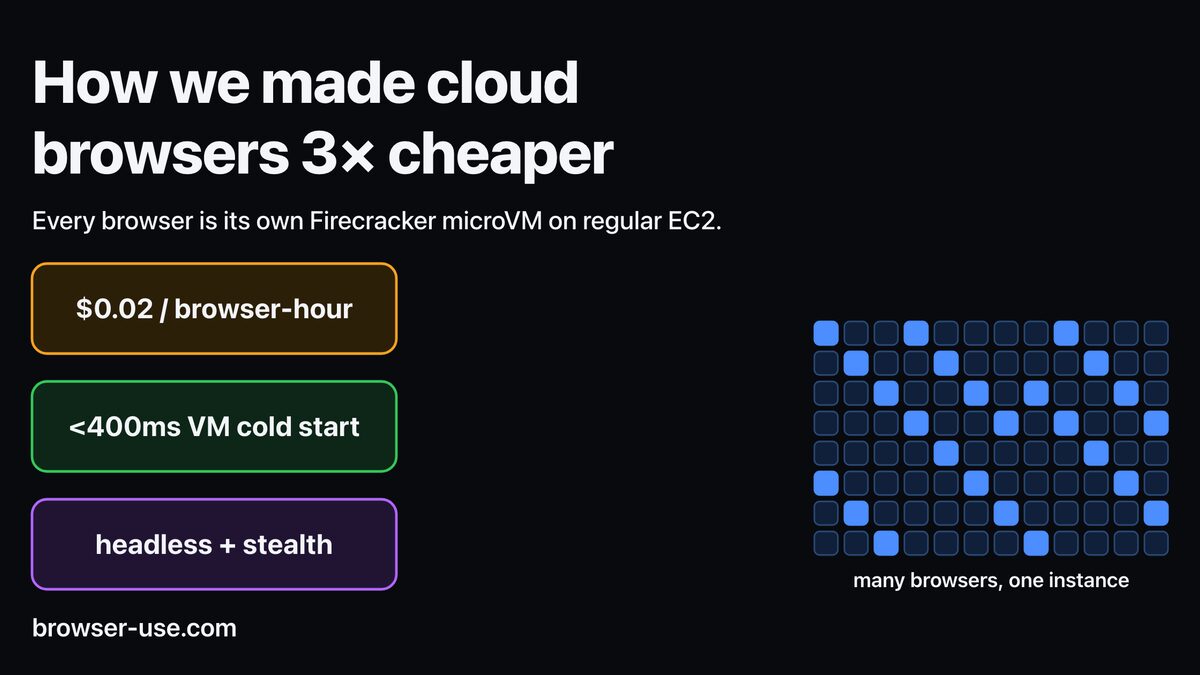
browser-use just published how it cold-starts an isolated browser in under a second. Every browser its AI agents drive runs inside a Firecracker microVM, and the team says the microVM itself boots in under 400ms. A full, ready-to-drive Chromium lands at an 825ms median. That speed is the whole reason the architecture works.
Here’s why that number matters. An AI agent that browses the web needs a clean, sealed-off browser for each task, because a single browser carries cookies, a logged-in session, cached pages, and downloads that no other task should ever see. The cheap way to get that isolation is a container. The safe way is a full virtual machine. browser-use wanted both, and the gap between “safe” and “fast” is exactly what Firecracker was built to close. This is the same isolation problem Cloudflare tackled with its browser rendering on Containers, solved a different way and on a far tighter cold-start budget.
What is Firecracker?
Firecracker is a virtual machine monitor that AWS open-sourced in 2018 and wrote in Rust. It runs on top of Linux KVM, the same in-kernel hypervisor that backs most Linux virtualization. What makes it special is what it leaves out. A normal VM emulates a full machine: BIOS, PCI bus, USB, a dozen virtual devices. A Firecracker microVM ships a deliberately tiny device model, so there’s almost nothing to initialize at boot.
The result is a VM that behaves like a container on the stopwatch. AWS says a microVM starts in as little as 125ms, carries under 5 MiB of memory overhead, and a single host can launch up to 150 of them per second. That’s why Lambda and Fargate run on it. Each function invocation gets its own hardware-isolated box, and you’d never know from the latency.
For browser-use, the appeal is the same one AWS had: a real virtualization barrier per tenant, without paying full-VM boot times.
The cold-start problem with browser sandboxes
A browser is a heavy, stateful thing. As browser-use puts it, “A browser has Chromium, a filesystem, cookies, cache, proxy settings, downloads, and sometimes a logged-in customer session. If one browser can read another browser’s state, it creates a security problem.” When your product is agents logging into real customer accounts, that’s not a theoretical worry. It’s the core threat model.
So the easy answer, one shared container pool, is off the table. You need a fresh, sealed browser per task, torn down after. And you need it now, because an agent waiting 10 seconds for a sandbox to spin up is an agent that feels broken.
browser-use’s earlier stack used unikernels via Unikraft, and the team is blunt about why that stopped working. Autoscaling was the killer. “Unikraft does not have good built-in autoscaling, so an engineer had to change a variable, manually adding more instances,” they write, and one such scramble “brought down production for 45 minutes.” Manual capacity management doesn’t survive contact with bursty agent traffic. Firecracker, with native scaling and the same isolation guarantees, was the way out.
microVM versus container isolation
This is the trade everyone in agent infrastructure ends up making. A container is a process with a fence around it: namespaces, cgroups, seccomp filters. Light, fast, and sharing the host’s single kernel. That shared kernel is the catch. A kernel-level escape in one container can, in principle, reach every other container on the box. For untrusted code, or untrusted websites an agent visits, that’s a real attack surface.
A microVM draws the line in hardware instead. Each browser gets its own guest kernel behind a KVM-enforced boundary, and Firecracker hardens the host side too. Its jailer wraps the VM monitor in a chroot, a dedicated cgroup, and a seccomp filter that allows only a couple dozen system calls. An attacker who breaks out of the guest lands in a near-empty room with no host filesystem and no general network access. AWS’s own framing is that microVMs “provide enhanced security and workload isolation over traditional VMs, while enabling the speed and resource efficiency of containers.” browser-use bought that pitch wholesale.
The nested-virtualization trick on EC2
Here’s the part that surprised me. The obvious way to run a hypervisor on AWS is to rent a .metal instance, a bare-metal box with no AWS hypervisor in the way, and run Firecracker directly on the hardware. browser-use went the other direction. It runs Firecracker inside ordinary EC2 VMs, stacking a microVM on top of the VM that EC2 already gave it.
That’s nested virtualization: a hypervisor running inside a guest. The reasoning is operational, not academic. “Regular EC2 machines are faster to get and cheaper to keep around,” the team writes. “Our hosts boot from a pre-built image and start serving browsers about 30 seconds after launch.” Bare-metal instances are slower to acquire and pricier to idle, and when your capacity swings with agent demand, acquisition speed and idle cost dominate the math. The full stack is three layers deep: an EC2 VM, a Firecracker microVM inside it, and Chromium inside that.
EC2 instance (host, boots in ~30s from a prebuilt image)
└── Firecracker microVM (cold start < 400ms)
    └── Chromium (resumed from snapshot, CDP-ready)
The cost of that extra layer shows up as a fixed startup tax, and the rest of the engineering work is about paying it down.
Sub-second numbers, and what they cost
The headline figures: microVM cold start under 400ms, and end-to-end browser creation at an 825ms p50 with a 1.35-second p99. Getting there took real work below the surface. Resuming a VM to a CDP-ready browser started at 9.8 seconds and dropped to 3.1. The biggest single win was memory.
When a snapshotted VM resumes, it faults its memory back in page by page, and the default 4KB pages meant roughly 100,000 page faults per resume. browser-use switched to 2MB huge pages, 512 times the memory per page, and wrote a custom userfaultfd handler to preload the hot pages up front. Faults per resume fell to about 1,100, a 91x cut. A smaller fix: ripping out a 500ms PS/2 keyboard lookup that was pure dead weight. The team detects the VM’s ready signal over a vsock channel in “under a millisecond,” and pins each browser’s vCPUs to stable cores, handing it both sibling hyperthreads so noisy neighbors can’t steal cycles.
The economics moved too. browser-use says cost per session hour fell from $0.06 to $0.02. And because most browsers sit idle most of the time, many can share a host without fighting over CPU. The current frontier, per the post, is snapshotting after Chromium is already running rather than just before it launches, which would erase the browser’s own startup from the critical path entirely.
What this means for you
If you’re building agent infrastructure, the lesson isn’t “use Firecracker.” It’s that per-task isolation only becomes the default when cold start drops under a second, and the savings live in unglamorous places: page-fault counts, huge pages, a stray keyboard probe. Before you reach for bare metal, check whether nested virtualization on cheaper instances clears your latency bar, because acquisition speed and idle cost usually matter more than the thin nested-virt overhead. And weigh this against the Cloudflare Containers route: if you don’t run agents that need a clean browser per task, a warm container pool is simpler and you may not need a microVM at all. The honest caveat is that browser-use’s p99 is still 1.35 seconds, so the snapshot-after-Chromium work isn’t optional polish. It’s the next thing that has to ship.
Share this article
Quick reference
Sources
- How we run browsers in microVMs — browser-use
- Firecracker: secure and fast microVMs for serverless computing — AWS / Firecracker project
- Firecracker – Lightweight Virtualization for Serverless Computing — AWS
Frequently Asked
- What is Firecracker?
- An open-source virtual machine monitor from AWS, written in Rust, that boots tiny hardware-isolated microVMs in about 125ms. It powers AWS Lambda and Fargate.
- Why not just use a container?
- Containers share the host kernel, so a kernel-level escape can reach other tenants. A microVM puts a real hardware-virtualization barrier around each browser, closer to a full VM but nearly as light as a container.
- Why does sub-second cold start matter for AI agents?
- An agent that opens a fresh, isolated browser per task can't wait 10 seconds each time. Sub-second starts make per-task isolation cheap enough to be the default rather than a luxury.
- Do they need bare-metal EC2 for this?
- No. browser-use says it deliberately avoids .metal instances and runs Firecracker inside ordinary EC2 VMs because they're faster to provision and cheaper to keep around.